It has been more than 15 years since I tried building a native desktop app. The last one was during my school days, when I built a calculator in Visual C++. That was fun and exciting, and my skills were limited. I knew the basics of C, and I drag-and-dropped different buttons and boxes to make the UI. I enjoyed building that app, although I was mostly the only one who saw it.
Fast forward 15+ years, and I spent some time building another native app. This time, it was a macOS time tracker. In terms of skill set, I am starting from scratch this time since I have no experience building a macOS app. But developing an app is easier with AI tools if you know what you want. I was able to vibecode a working version in two days, tailored for my needs.
In addition to normal time tracker features like the ability to start, pause, and stop the timer and set an agenda, I wanted a few other features as well:
- A customizable reminder (nudge) to track the time during work hours. I could also customize the work hours in the app.
- A configurable nudge interval and a snooze option.
- A prompt at the end of the session to reflect on how well it went. I could write a short summary of the session if I need to.
- An option to rate the session from 1 to 5.
- Sync across my MacBook and Mac Mini since I switch between them often.
I’m sure there are apps with some or most of these features, but the prospect of building something by myself was tempting. Also, it gives me full control over the app’s features and appearance.
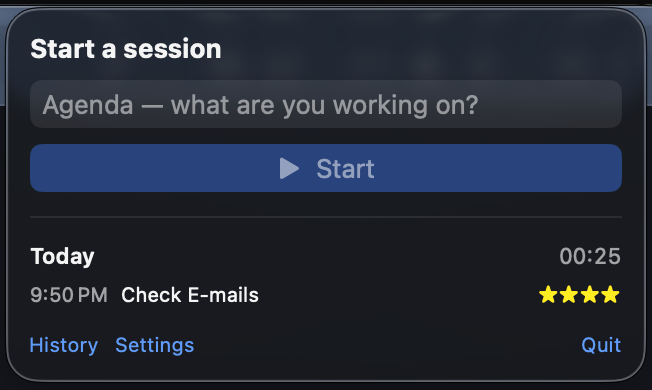
The time tracker UI
This was the first app I built for the Apple ecosystem. For anyone curious, the source code and the disk images are available here: time-tracker
COMMENTS